Thursday, September 24, 2009

Dummies Guide To Whole House Audio On A Budget

Yesterday I came home to a small package I had ordered off eBay and smiled with the satisfaction of knowing I had finally finished my whole house audio project. More on that final piece later.

In my last blog on home theater I explained how you could get a high end Kaleidescape like experience for a fraction of the cost. This time I am going to focus on whole house audio. If you are an audiophile stop reading now. What I am going to explain is a budget conscious setup with a few restrictions. That said I think the audio quality if more than adequate for every day listening. If you are interested in getting music in every room in your house without spending your kids inheritance on a Sonos system then read on.

Let me first cover the capabilities of the system and what is missing compared to a high end system.
  • You will need some form of amped or powered speakers in each room you want music in. You may already have this and just not realize. I found a already had a Hi-Fi, TV, iPod dock or radio in every room I wanted to cover except the kitchen.
  • You will need to be able to run cable through your house. I tried every wireless solution there is from whole house FM transmitters to the cool and simple Apple Airport Express. For me it had to be wired. Any dropouts, even infrequent or very short destroy the experience.
  • This is not a multi-zone system. The same audio goes to every room. This is a big limitation but also results in a simpler and cheaper setup. My kids will just have to like whatever I listen to.
The entire system feeds from a single point. In my family room I have a simple audio/video switch . Audio only switches are hard to find and I already had one of these from my pre-hdmi TV setup. If you have a universal remote I would look for an IR controllable one. Into that switch I feed all my sources:
  1. Mac Mini music server
  2. Turntable
  3. Cable (for cable radio stations)
  4. CD Player
I also have an iPod dock that I can switch out when friends are round so they can feed their music into the system.

The Music Server:

My main music source is a mac mini. It has by entire music collection on it. Some things to bear in mind when choosing a computer based music server:

Dedicated is Better:
  • I do not use the same mini that is at the heart of my home theater system and running plex. PC and Macs do support multiple sound cards but I wanted to keep things simple for a number of reasons. My home theater mini is new, fast and dedicated to watching video, outputting digital audio to my receiver. My whole house audio mini is the original mini and is set to output analog and run independently of the other system. One big advantage over an apple express or other multi-client system is that ALL audio from the mac mini is sent to every room. No need for Airfoil.
Go Headless:
  • I can use the iTunes Remote on my iPhone to control the mini and use screen sharing from another mac for maintenance. I also use Mocha VNC Lite for the iPhone to start internet radio and other audio that cannot be integrated into iTunes. This means this is truly a server. It does not have a display, a keyboard or even a mouse. The BBC Bigscreen iPlayer is especially suited to control via VNC on your iPhone.


Keeping Everything In Sync:
  • iTunes just announced a synching feature in 9 that I have not had a chance to look at. Currently I use the excellent Syncopation which allows me to keep all of my iTunes libraries across several macs in sync. I tried various setups but eventually settled on a single master which every other system syncs to. The mini is actually a client and not a master, mainly because I purchase all my music on my laptop or phone and so it makes sense for it to be the master library. Every time I connect my laptop to my home network the music, playlists, podcasts and videos all sync instantly to all my other systems. Wonderful piece of software. 
  • [Update January 2013: With the latest versions of iTunes and Home Sharing the need for Syncopation has mostly gone. You still need it if you buy music from somewhere other than iTunes and don't want to manually keep your systems in sync.]
From One Room To Whole House

So how do you feed every room. This bit might shock you but it actually works. I simply run line level audio to
every room. I don't even run it in a hub and spoke model but instead simply have a single run snaking from room to room and splitting off at each point I want audio. No additional amplification of the signal is done.

My first stop is the family room itself. It feeds my receiver which in turn powers my deck as a second zone. Next stop is an iPod dock in my office, then a cd/radio in my dining room. Penultimate stop is a Pyle amp that powers my kitchen in-ceiling speakers and then one long final stretch to the bedroom TV. The total cable length is probably in the range of 100 to 150ft and yet the quality at the end of the line in the bedroom is superb.

Planning and Purchasing

To keep your costs down you need to plan your system and measure your runs carefully, allow some slack and then order you cables from Monoprice. Their prices cannot be beat especially for long runs. I basically split at each room drop using a simple splitter. Make sure you get your male and female connections right, generally good advice, and buy some connectors if needed.

Troubleshooting

Because I didn't plan ahead and extended the system slowly, I often ended up with cable being the wrong gender or too short. As I said before, allow extra length and but extra gender reverses/connectors to be safe.

This brings me back to that final package from ebay. The only real issues I hit was when I added cable radio as an input and my bedroom TV as an output. I instantly created an unwanted cable Ground Loop hum. I ended up fixing this with a cable ground loop isolator from Jensen. Not a cheap solution but it did the job perfectly.

[Update January 2013: My ground loop came back with a vengeance when I moved my audio server to the mac mini. The isolator didn't do the trick, and several other isolators failed to help also. After much research I was pointed to the only real and permanent solution which is to create a true physical barrier via optical isolation. By using the optical out of the mac mini and this excellent low priced DAC from Fiio I was able to completely remove the interference, with the bonus of 24/96 output, and now it sounds better than ever!]

I didn't cost the whole system and your cost will really depend on what powered audio systems you have in place already. And this whole thing is really on made possible with the iTunes remote for the iPod Touch and iPhone.

That said the result is very robust, zero dropouts and you will find yourself listening to more music than ever before.

Bonus Points


If you have a Chumby then you can install this very cool widget chumbiTunes which will allow you to see what is playing in iTunes and change the volume, pause, forward and rewind.


Tuesday, June 30, 2009

MacWorld reviews Plex

http://www.macworld.com/article/132438/2009/06/plex.html?lsrc=rss_main

Wednesday, June 24, 2009

Lots of new Plex Plugins Available

Huge slew of new plugins in the last few weeks for Plex. Some great stuff here including Picassa, BBC Podcasts, MSNBC, Food Network, HGTV, Shoutcast, CNN, Boing Boing and many more.

Check them out over at the Plex site

Monday, April 20, 2009

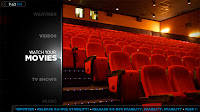
Dummies Guide To Setting Up A Mac mini Home Theater

Having just recently setup a mac mini based home theater I noticed there was no good single guide with the simple basic steps. I was transitioning from Meedio based HTPC and so had some prerequisites such as the ability to play DVD iso images.

For the Mac mini I chose Plex for the media manager and frontend as I prefer the asthetics over boxee. It has a very slick interface, something seriously missing from frontrow and even Apple TV.


Hardware:

From monoprice order:

- 5311 Mini Display Port to HDMI Adapter ($14.25)


From Apple:


- Apple IR Remote (you may have this already)

- Buy the new Mac mini and upgrade the memory yourself. Not as hard as everyone says.

- Get the mini Apple wireless keyboard and a mouse, or just use screen sharing from another Mac (works great).


Storage:


- If you have

a lot of media you will need enough storage for the media plus backups.

- Drobois expensive but simple.


Setup:


- To stop the apple remote controlling your other macs you will need to either pair the remote or disable IR on the other macs: System Preferences -> Security


Software:


* Perian (codec and video support)


http://perian.org/


* SIlverlight (required for Netflix)


http://silverlight.net/themes/silverlight/common/home.aspx?AspxAutoDetectCookieSupport=1

or just install Netflix from the website by starting a watch it now movie.


* Plex (media center software)


http://www.plexapp.com/


- Setup Display:

  • You can do this at the OS level but it is tricky and for me I just could not get working with my Onkyo receiver. If you want to try then follow this guide
  • Otherwise you can do just for Plex which works fine for me: Preferences -> System -> Display Calibration

- Setup Remote:


- Set remote mode to Always Running so remote starts Plex and not Front Row: Preferences -> System -> Input Devices


- Add Weather App:


- Preferences -> Skin -> Home


- Add applications from Plex App Store:

-Hulu, YouTube, Netflix, Vimeo, etc.


- Add your content


- Movies:


- I use iso images for all my movies. Simple, full quality, easy to write to

DVD for the car and a single file.

- Put movies in their own folders and make sure the folder name and

movie name match.

- Name all

your movies: moviename (YEAR).extension

- You don't have to provide coverart as Plex will go looking for it. If you

are worried about quality then grab your own.

- Tip for adding coverart: Rename in Get Info and not in Finder window

as the extension must be .tbn and match movie name exactly


For example:


Batman Begins (2005)

|-Batman Begins (2005).iso

|-Batman Begins (2005).tbn


- TV Shows:


- One show per folder, folder names matter, make names match tvdb

- If your show does not exist on tvdb then it will not be added to the

library view. Simple fix is to add the show to tvdb yourself

- Rescanning will not pick up changes on tvdb to previously added

programs. You can remove a single show by selecting it in the library

and holding the menu button. Then just rescan for new content.

From this menu you can also change the artwork if there are multiple

choices.

- You will notice in library view that not all episodes have thumbnails.

These do not need to be pulled from tvdb and can be auto generated

by Plex. The trick is you need to view the show in file mode to force this.

(If anyone knows a better way let me know)


- Music:


- iTunes is automagically picked up as a source and works great.

- Change to Now Playing Visualization (won't induce an epeleptic fit or

require you to be on drugs to enjoy)

- Change to Cover Art view for albums to emulate iTunes look and feel

- You can add a new source to be imported. I added 24/96 Flac encodes

and they worked perfectly first time and sound incredible too. Put the

cover art in the same folder, name it cover.jpg and it will get picked up.


You can get some samples here:


http://www.archive.org/audio/

http://www.hdtracks.com/


- Subtitles:


- Disable from the audio icon while playing a video (non-intuitive)


- RSS Feed:


- Add your favorite feeds to the scrolling ticker by editing this file and following these guidelines:


~/Library/Application Support/Plex/userdata/RssFeeds.xml


Thursday, January 15, 2009

I've seen the future of the internet and it is...........

Video. Thats right. Good old fashioned video. Bear with me and I will explain.

First a question. You want to know how to make a souffle. So you google it. Which link do you click on, the pdf recipe on the food network site or the one for youtube? Or you want to know more about something you just got diagnosed with at the doctors. Do you follow the Mayo Clinic link or the youtube video of the doctor talking about it?

If you are my age or older you probably chose the former option in both cases. If you are under 20 then the likelihood is you chose the video. 

Video is the closest approximation to how we communicate the best. Face to face. Written word really only exists to communicate when we are not together or to capture something for posterity.

Kids get that. They would rather watch the movie than read the book in most cases. For some reason many adults think this is bad. They think the written word is a more noble and intellectual form of communication. This is pure snobbery. 

It is not the communication tool that matters but the content. Good content on video is better than garbage in a book, or for that matter on a web page.

I am generalizing of course. But you get the point. Or do you?

Ok, lets try a different problem. The classic debate of interactive TV. TV is a sit back experience but the internet is a lean forward one. It is why interactive TV has failed to take off yet seems so compelling on paper. A family cannot interact all at once for example, with a single TV.

But video is a sit back experience. 

Following RSS feeds in a reader is analogous to reading a newspaper. It has its place, no question. But why can you not consume that same information in a more sit back sort of way?

The solution? Well that is a whole other post for another day.........

Monday, January 05, 2009

Fraunhofer IIS Brings Surround Music to the iPod Community at CES

Fraunhofer IIS Brings Surround Music to the iPod Community at CES: Financial News - Yahoo!
Finance
: "Fraunhofer IIS Brings Surround Music to the iPod Community at CES"

I would love to see multichannel music finally take off but I won't hold my breath. The car is actually the one place that might finally make this become a reality and not the living room as many have historically believed.

Sunday, December 28, 2008

We Remember...

BBC NEWS | UK | Magazine | Audio slideshow: We Remember...

I like to think I watch and read a reasonable amount of news but every year I see a list like this and am surprised by at least half of the names on it. Lost some incredible actors this year, some who had very long and productive lives, and then the shock of Heath Ledger who left us with his astounding performance as  the Joker. 

Monday, November 24, 2008

The Network Of Everything

The Network Of Everything: Personal Networks Will Have To Cope With At Least A Thousand Devices

The concept of Personal Area Networks (PANs) has been around for some time but some European researchers seem to be making some real progress.

Friday, November 21, 2008

US teen tops himself live online

US teen tops himself live online • The Register: "Anxious viewers called local police after Biggs’ body lay lifeless on a bed for several hours."

Not anxious enough to call when he first took the pills though......

This was inevitable given the advancement in technology and the broad access it has created and it will likely get worse than this before litigation and government intervention contain it. 

Monday, November 17, 2008

Livescribe Pulse ‘smartpen’ now Mac-compatible | Macworld

Livescribe Pulse ‘smartpen’ now Mac-compatible | Macworld

Finally I can use my Java-enabled Pulse Smartpen with my Mac. Just one more reason I don't need my old windows system and more importantly I can use the pen with my main system making it way more useful.

Daddy, Where's Your Phone? - O'Reilly Radar

Daddy, Where's Your Phone? - O'Reilly Radar

Interesting story and something many of us fight daily. The last year should have made this clear for even someone who has been living in a cave.

The real issue that is only touched on in the comments is that this is not about the client. It is about the content. There is no "mobile web". Just the web. Lets no mess that up. 

Java & Bluray on Dolbycast

Dolby - Dolbycast – Audio & Home Theater Podcast

Great Dolbycast with Craig Eggers  and Joe Rice from MX Production on Bluray authoring and lots of mention of Java and BD-J interactivity.

Thursday, November 13, 2008

Gourmet Stockholm

Had incredible meals this week in Stockholm at Pontus!
and Grill. Highly recommended.


Monday, November 10, 2008

It’s Time To Get Excited About JavaFX

It’s Time To Get Excited About JavaFX at Simon’s Blog

Great post by Simon Brocklehurst on JavaFX and why you should be excited about it. I am of course a little biased so go check it out for yourself. As Simon says maybe it is time to dive in JavaFX or at least get your feet wet.

Saturday, November 08, 2008

The Mixtape Reborn

Mixwit - Create and Share Digital Mixtapes

Just found this site and it is very addictive. You could spend hours browsing other peoples mixes without even making one of your own. If you do create a mix, which you do by adding any mp3 that is available online via a url, you can share it on Facebook, Blogger, etc.

I used to spend hours creating mix tapes and although playlists are way more convenient, the process of creating a tape was way more fun. The difference between hand making someone a card vs sending them an e-card.

And if you are young enough to have no idea what I am talking about then you can read more about the art of mixtapes here, or over at npr, and more online mix sites are reviewed here.

Thursday, October 30, 2008

Cringley on Mobile

I, Cringely . The Pulpit . Collateral Damage | PBS

Interesting to see Cringley take an interest in mobile. As expected his view is a little biased by his knowledge of Apple, the evolution of personal computers and the iPod history.

Cannot say I agree with all of it but an interesting read nonetheless. 


Wednesday, October 29, 2008

Retro Controller Find


Wapedia - Wiki: PlayStation Analog Joystick

I managed to find one of these at a local Goodwill over the weekend. This thing is huge and very rare. Worked first go with my PS3 too. 

Buyer's Guide (time-ordered) - Mac Guides

Buyer's Guide (time-ordered) - Mac Guides

Cannot believe I didn't know about this feature on the MacRumors site. Thinking of buying something from Apple? Check this out first to see if they are about to obsolete your new shiny purchase.

Monday, October 27, 2008

When is a PS3 not a PS3

Planning on getting a PS3 for the holidays? Make sure you do you homework as Sony is constantly changing the features of the various bundles and models. FInd out your core requirement:

SACD Support:

Only the old 20GB, 60GB and the Metal Gear Solid 4 bundle play  SACD.

Capacity:

Just ignore this. You can upgrade nay of them to a larger drive and probably will need to.

PS2 Support:

Basically, there are currently 2 versions of the PS3 on the market now. 

If you want PS2 backward compatible with PS2 games you need the MGS4 bundle or an old20 or 40GB  PS3. Both backward compatible with PS1 games.

USB Ports:

One version (also the one that supports PS2 games) has 4 USB ports as well as memory card slots, while the new version has only 2 USB ports and NO memory card slots. 

Processor:

The new PS3s do not have the older and larger 90nm Cell processor, they have the smaller and possibly more reliable 65nm Cell processor. Power consumption on this unit is lower as well, dropping from 200 Watts to 135 watts. The end result is a machine that supposedly runs cooler and quieter. Important for movie watching or if you plan to keep it in a cabinet.


iPhone in the Smart Home


Automated Home - The Masked Installer - the iPhone in the Smart Home

Article covering what many of us already know. The iPhone has a lot of potential for home automation simply because it is a cheap, connected, portable and programmable touch screen.